
CASE STUDY · KEYBANK · 2023
KeyBank Referrals
KeyBank Referrals
End-to-end UX research and product design for KeyBank's internal referral tracking app
End-to-end UX research and product design for KeyBank's internal referral tracking app
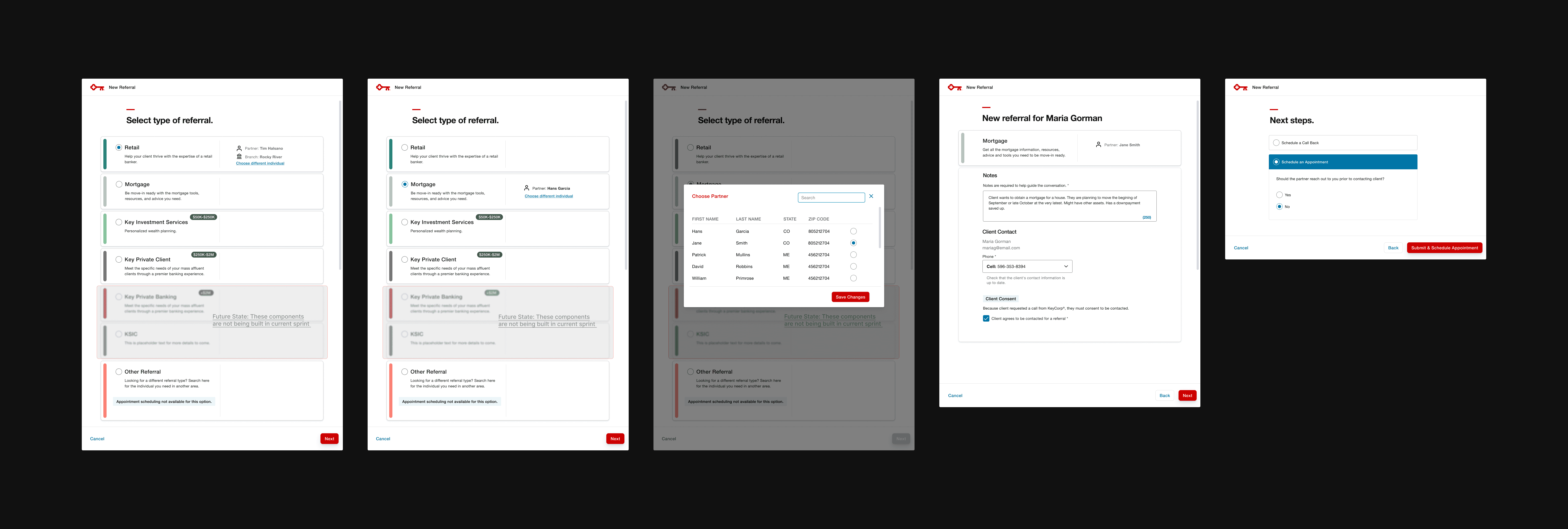
Screens rebuilt for portfolio purposes. Original work protected under NDA.
The Engagement
My Role
Lead Product Designer
Industry
Corporate Banking
Team
2 Product Owners, 12 Software Developers, Cross-functional Banking Teams
Domain
0 to 1 Product, Internal Tools, FinTech
Impact at a Glance
+75.4%
Increase in referral volume after launch
2,730
Referrals created in OYD since launch — adoption was immediate
0 to 1
Built the referral capability from scratch — it didn't exist before
6
Bankers across the US interviewed and prototype-tested across 2 research phases
The Problem
Every year, thousands of referrals happened at KeyBank — but none of them were being tracked. Bankers had no standardized system, no visibility, and no credit attribution.
Own Your Day (OYD) is KeyBank's internal CRM used by bankers across the country for leads, relationship tracking, and daily planning. But when a banker identified a client as a strong fit for a product like Key Merchant Services, there was no path forward inside the system. To log a referral, bankers had to exit OYD entirely and switch to a separate tool called CE Desktop — a fragmented, easy-to-forget step that left referrals unrecorded and bankers uncredited.
My Approach
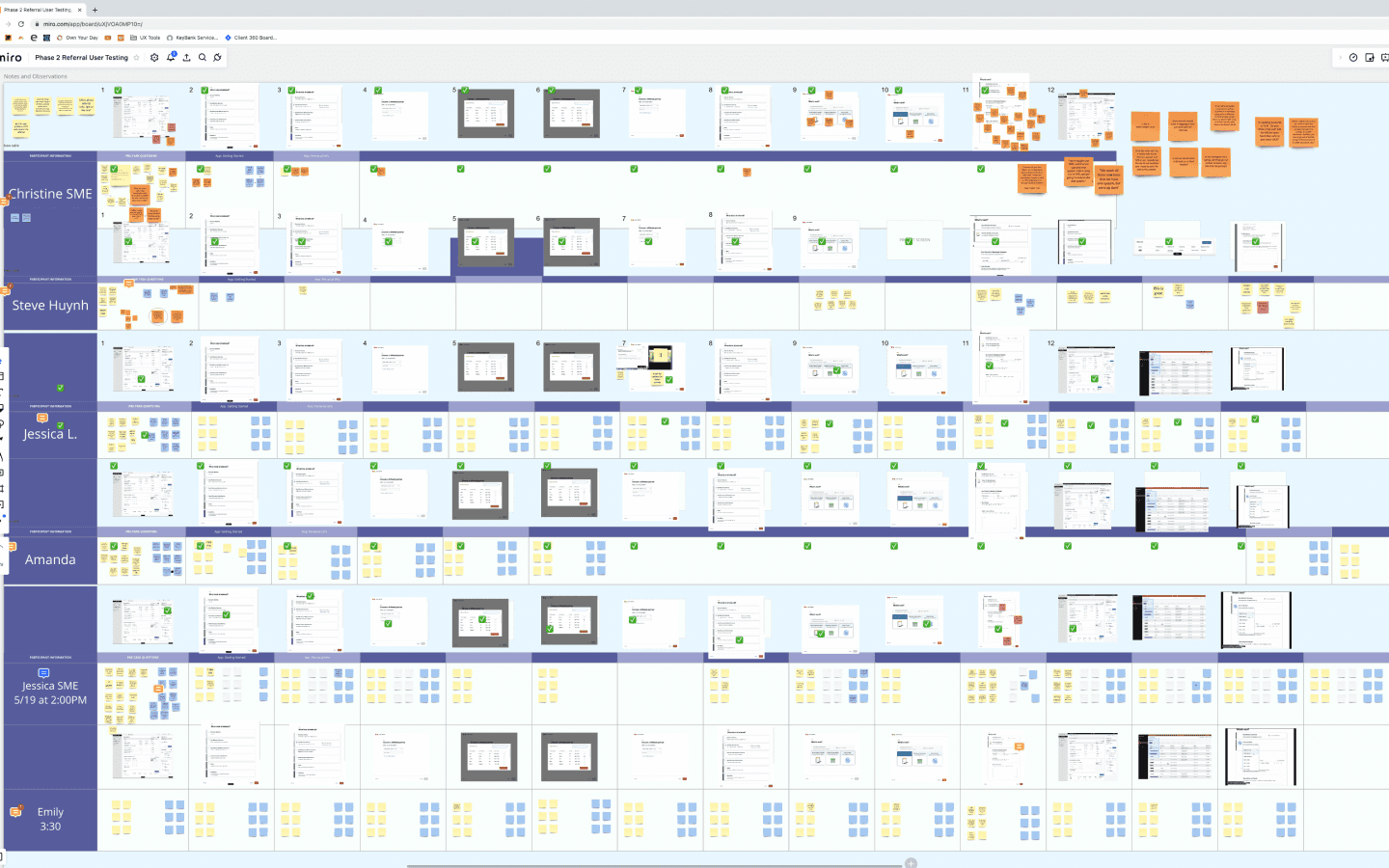
Before building anything, I led two phases of user research to understand the current referral process and identify exactly where it broke down. I conducted exploratory interviews followed by prototype testing sessions with 6 bankers across different roles and regions — Private Client Bankers, Personal Bankers, a Branch Manager, and a Product Owner. Colleagues Crimson Radin and Will Kesling participated in sessions alongside me, while I owned the design end-to-end from research synthesis through development handoff.
No consistent method — some bankers called partners directly, others messaged via Microsoft Teams, and others logged referrals in CE Desktop after the fact. Every referral happened differently.
The handoff felt incomplete. Bankers wanted to give clients a warm welcome to the partner and stay part of the process — not just pass a name and disappear.
Notes needed to travel with the referral. Bankers wanted partners to receive context so the first conversation did not start from zero.
Everyone expected email notifications — bankers, clients, and partners all wanted to be kept in the loop on status updates and appointment confirmations.
The Call Initiator field was universally confusing. Nobody understood what it meant or why it was pre-selected.
Research takeaway: Bankers didn't just need a form — they needed a complete workflow that matched how referrals actually happened, kept everyone connected, and didn't require leaving the system they were already in.
Design Strategy
Three principles guided every design decision from research through high-fidelity prototyping — tested and iterated across two rounds of usability sessions before development handoff.
01
Guide, don't gatekeep
The flow should feel like a helpful colleague walking a banker through the process — not a compliance form to fill out correctly.
02
Context travels with the referral
Notes, consent, and client details are captured in one place so partners receive everything they need to act.
03
Close the loop
Every referral ends with a clear next step: schedule an appointment, record an introduction, or set a callback. Nothing falls through the cracks.
What I Built
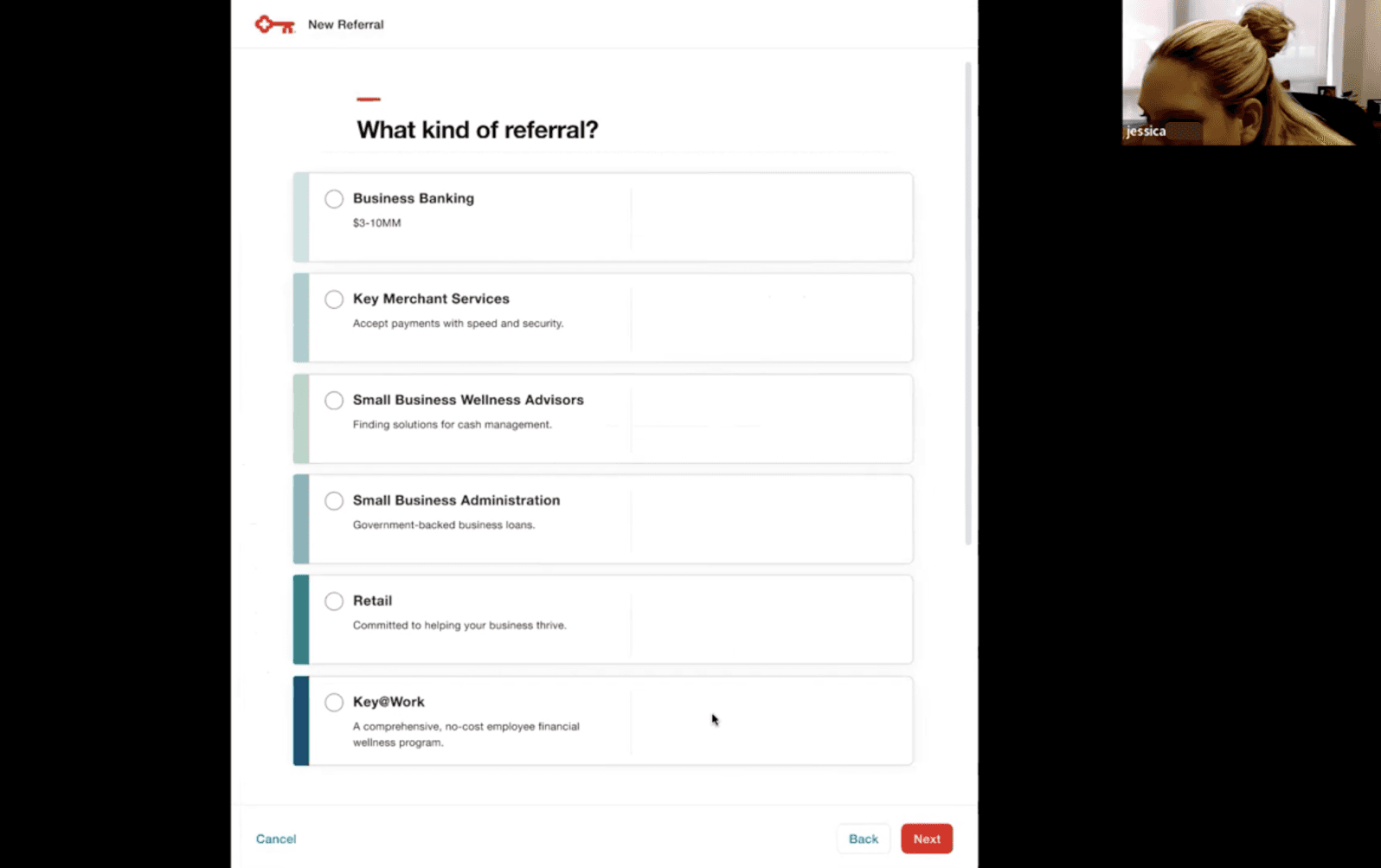
Referral Type Selection
Designed a scannable list interface for bankers to identify and select the right referral type — Business Banking, Key Merchant Services, Retail, and more. Each option surfaces a brief description so bankers feel confident selecting before moving forward.
→
Bankers could identify and initiate the correct referral type without coaching or extra steps
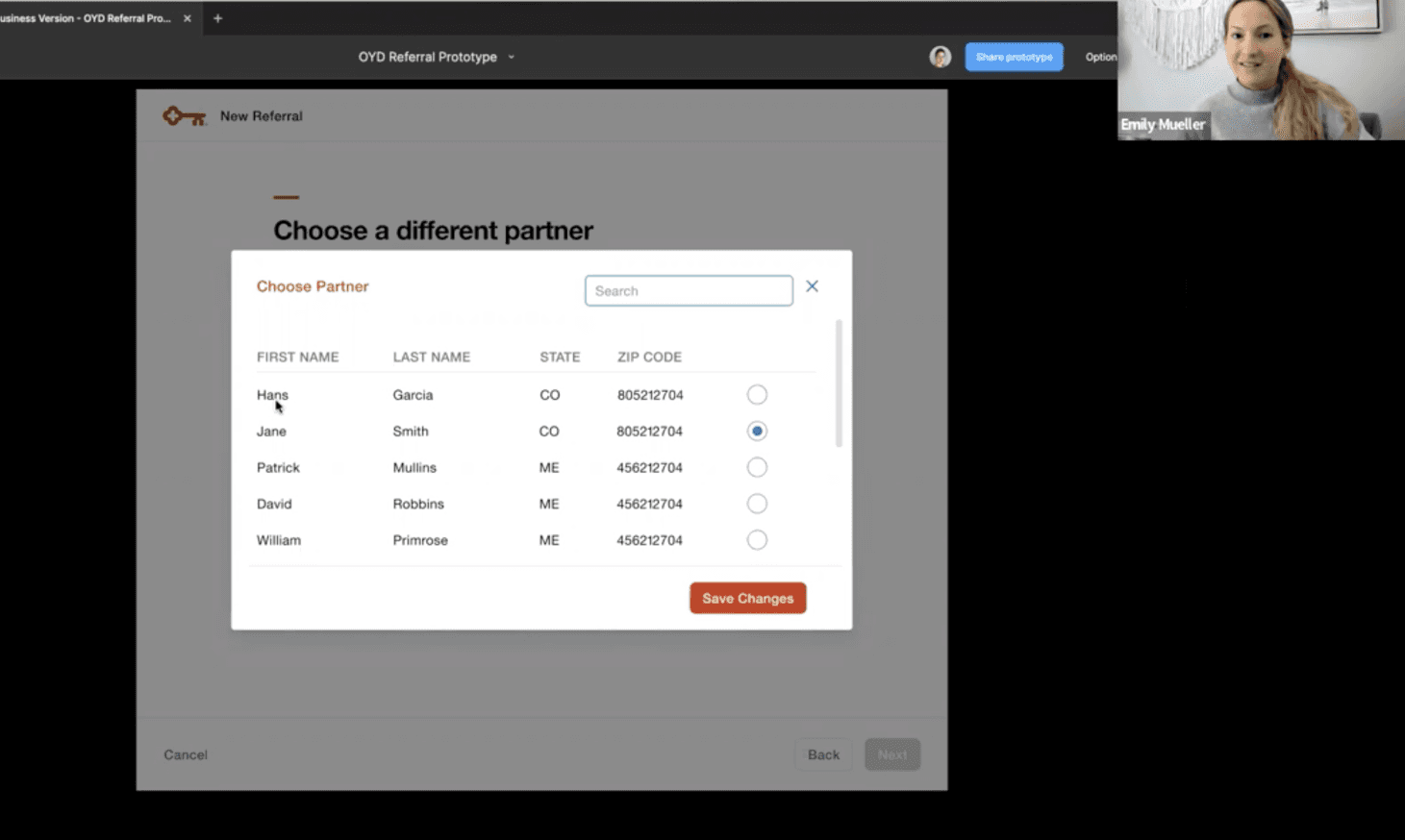
Partner Search and Selection
Integrated an existing partner search system directly into the referral flow. Bankers search by name, state, or zip code and select the right partner from a live directory — eliminating the need to look up contact info separately.
→
Removed a critical friction point: bankers no longer needed to leave OYD to find a partner
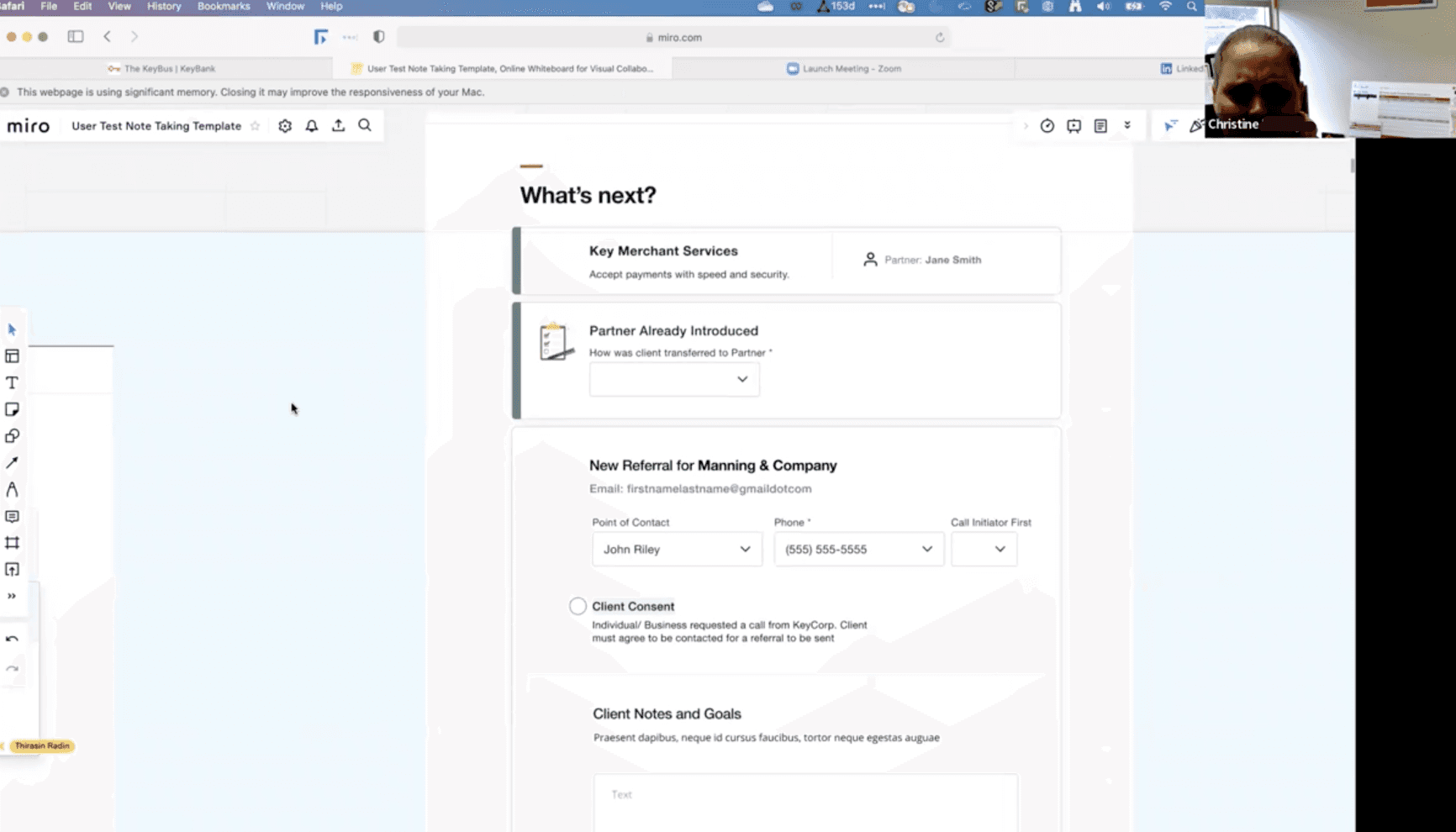
Referral Form and Client Notes
Built a structured submission form capturing client contact details, point of contact, call initiator, notes, and required client consent. The notes field — a top request from user research — lets bankers pass context to partners so every handoff starts with the full picture.
→
Every referral now includes the context partners need to have a better first conversation
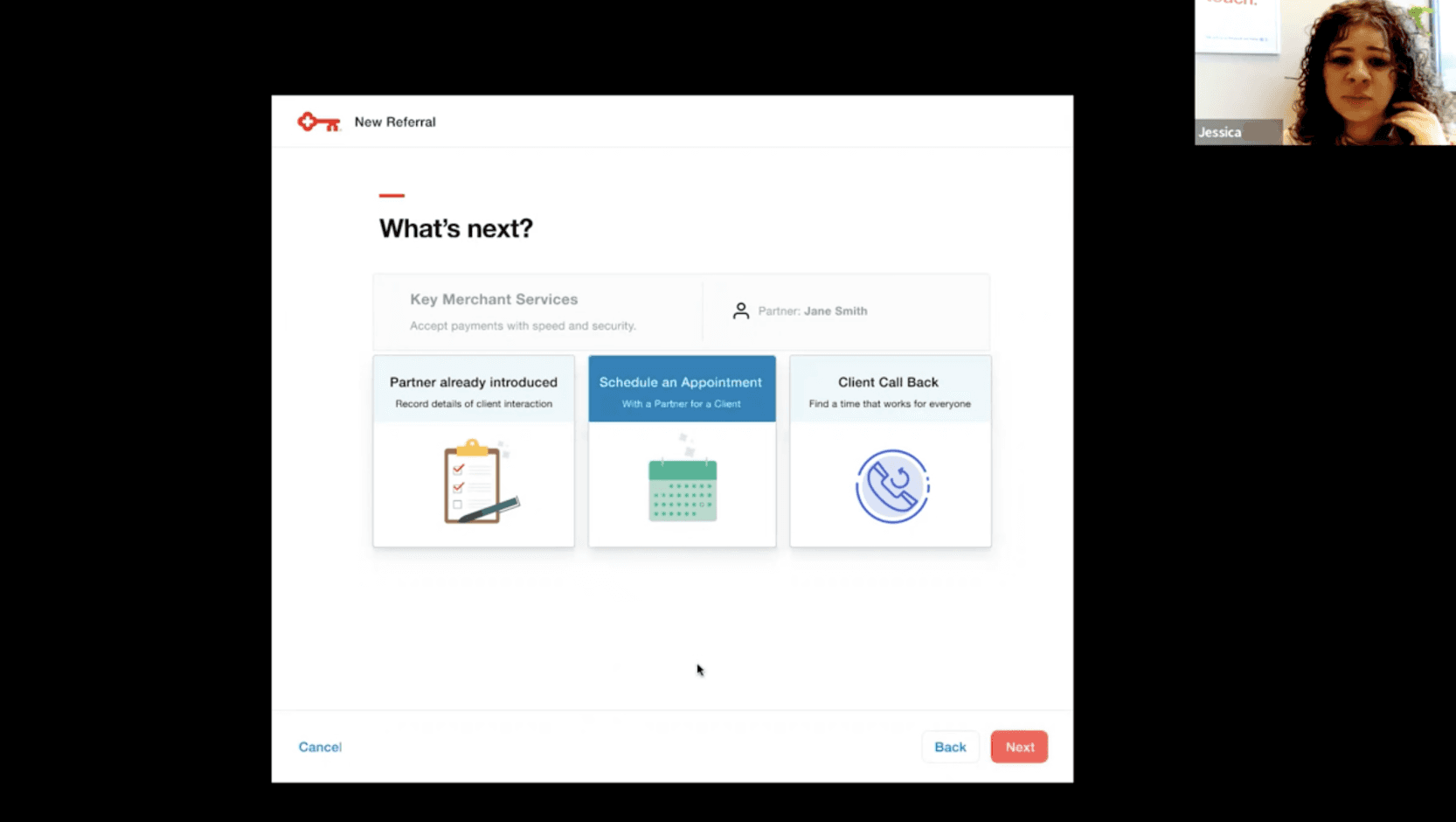
What's Next - Post-Referral Actions
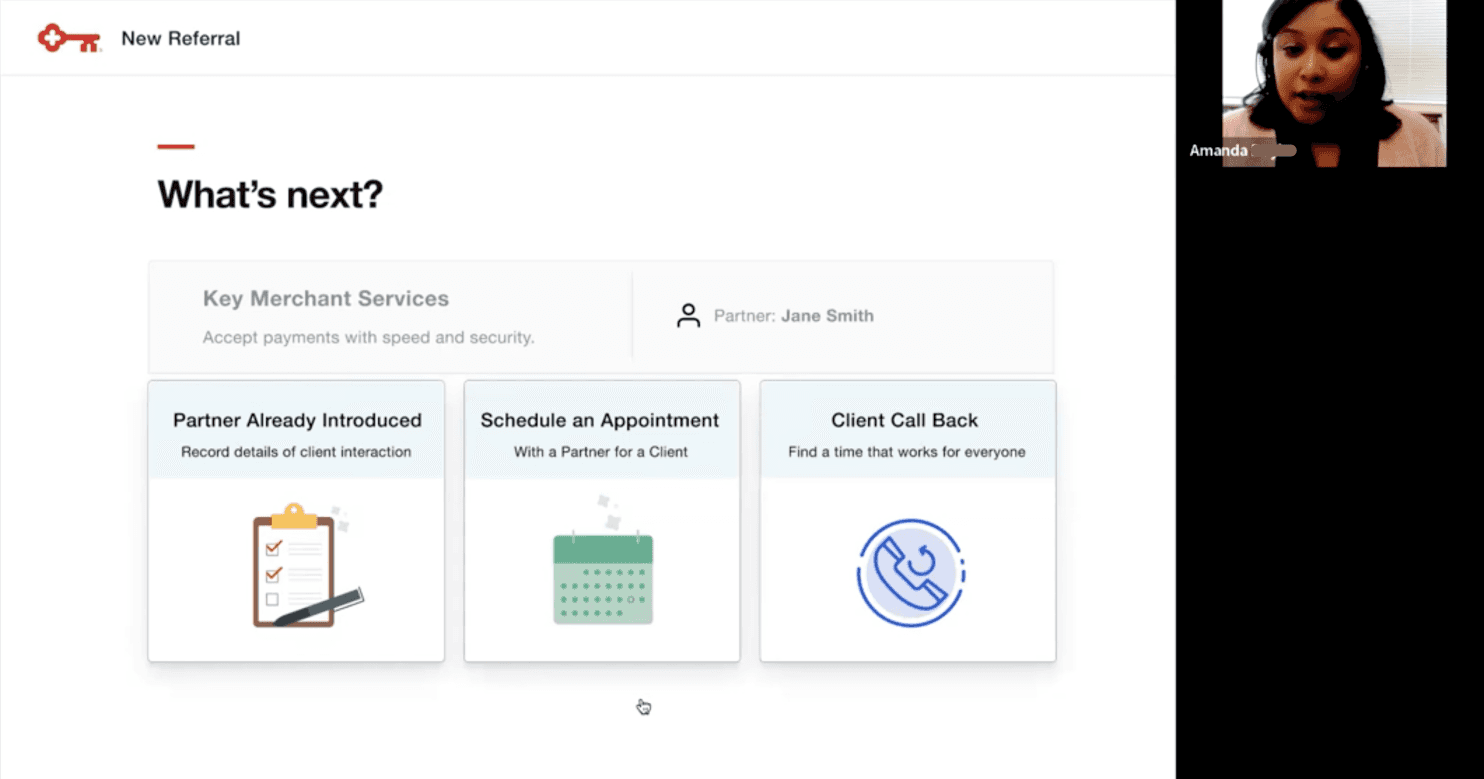
Designed a post-submission screen giving bankers three clear paths forward: Partner Already Introduced, Schedule an Appointment, or Client Call Back. This addressed the research finding that bankers felt something was missing when handing clients off.
→
Closed the loop on the handoff — bankers knew exactly what to do next and could stay part of the process
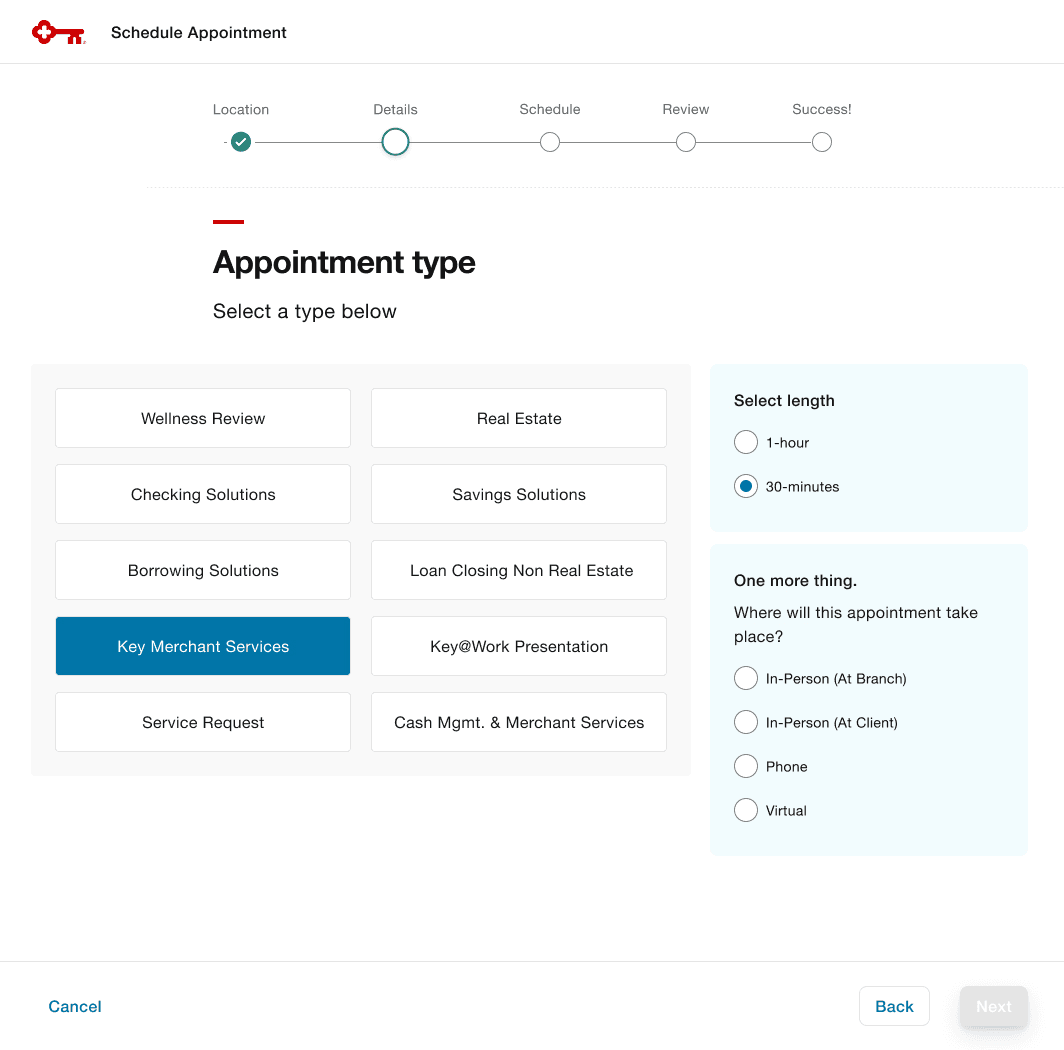
Appointment Scheduler Integration
Seamlessly embedded KeyBank's existing appointment scheduling system within the referral flow. Bankers can book appointments — selecting type, location, date, and time — without leaving the app.
→
Eliminated context-switching; scheduling became the natural final step in the referral flow
What They Said
"
This has been a true transformation of the Referral process and the field is loving the direction we are going in. The design has been a hit and I can't wait to see the next enhancements we'll be working on.
— Jason Falsone, Senior Product Owner, Own Your Day